|
Home > Android Tablet Reviews > Lenovo ThinkPad Tablet

Lenovo ThinkPad Tablet
What's hot: Pen for note-taking, solid build, USB port, excellent optional keyboard folio.
What's not: Chunky, would be better without bloatware (bloatware is reduced with ICS upgrade).
Update June 30, 2012: Lenovo has released Android 4 Ice Cream Sandwich as a free over the air upgrade.
Reviewed October 16, 2011 by Lisa Gade, Editor
in Chief (twitter: @lisagade)
The Lenovo ThinkPad Tablet is an Android Honeycomb 3.1 tablet with a 10", 1280 x 800 IPS Gorilla Glass display and the usual internals: 1GHz Nvidia Tegra 2 dual core CPU, a gig of RAM, plenty of internal storage, dual cameras, WiFi, Bluetooth and a GPS. What sets it apart from many Honeycomb tablets is the N-Trig Duo Sense dual digitizer. That means it's both capacitive multi-touch and it works with the optional $30 active digitizer pen. The pen is more precise than a capacitive stylus and it supports 99 levels of pressure sensitivity. Some bundles include the pen so you need not purchase it separately.
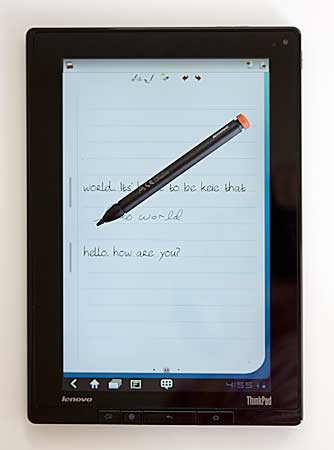
The HTC Jetstream uses the same digitizer technology, but it costs significantly more than the ThinkPad. That said, with the Jetstream you get pen support everywhere for both control and scribbling with the pen, while the Lenovo tablet supports it in the Notes Mobile app and in the PDF viewer for annotation but not in other built-in apps. Third party apps like Alias Sketchbook Pro do support the pen with pressure sensitivity as a seriously good consolation (only the "Pro" version for Android tablets has pressure sensitivity, make sure you get the right version from the Android Market).
Design and Ergonomics
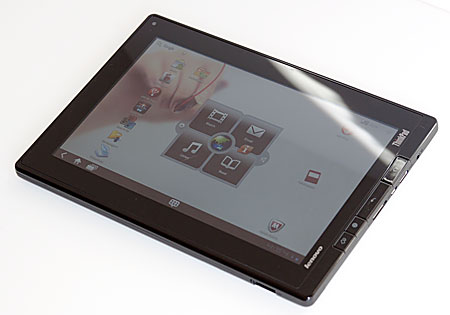
The tablet has that classic ThinkPad build quality and look, complete with Lenovo's soft touch matte finish on the back and metal ThinkPad logos. This tablet might not be thin and light, but like ThinkPad notebooks, it's built like a tank. The Lenovo ThinkPad Tablet and the Motorola Xoom and XYBoard tablets are the only 10" tablets on the market that don't feel somewhat fragile. The pen fits neatly into a silo and it has a red tip that recalls Lenovo's TrackPoint look. We give Lenovo huge points for the pen silo: other Android tablets with an included active pen lack this, and that means either misplacing the pen or not taking it along with you everywhere.
The tablet is hefty at 1.65 pounds, but it's in the same ballpark as the Motorola Xoom, Asus Eee Pad Transformer and other non-anorexic tablets. The IPS display with wide viewing angles, added ports and sturdy ThinkPad build set it apart from the $100 cheaper Lenovo IdeaPad K1 tablet we reviewed a few months back.
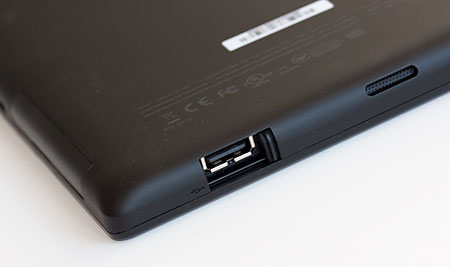
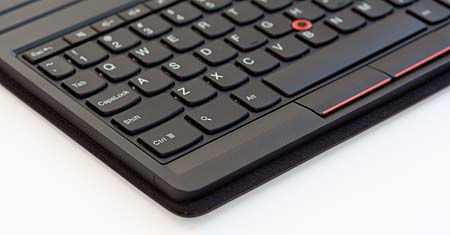
The optional and lovely folio case with keyboard likewise has an optical pointer stick embedded in the keyboard that looks like the red TrackPoint. The keyboard has excellent tactile feel, is well made and offers good protection for the tablet. We highly recommend it, though it will occupy the ThinkPad Tablet's lone full size USB port with USB host.
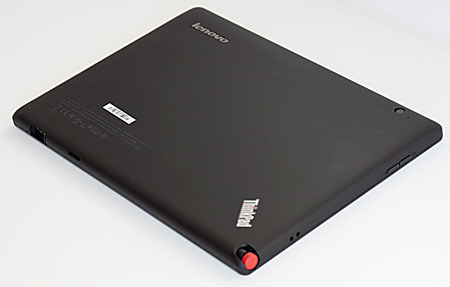
The ThinkPad Tablet has a full size USB host port that works with keyboards, mice and flash drives. We didn't have much luck with a 500 gig WD MyPassport NTFS unpowered portable drive under OS 3.2 Honeycomb but that drive worked perfectly under Android 4.0 Ice Cream Sandwich. Lenovo includes a basic USB file transfer app with a bare bones UI, but you can use third party file managers with USB flash drives. Media on flash drives automatically appears in apps like Gallery, and that means the driver integrates into the OS ( Sony Tablet S are you listening?).
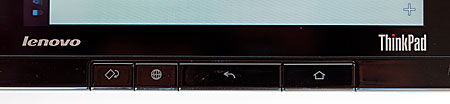
The Lenovo Tablet is one of the few Honeycomb tablets with hardware buttons.
The tablet has a micro USB port for file transfer and charging, a mini HDMI port and a full size SD card slot. 3G costs $130 additional via an internal Gobi 3000 modem.
The tablet's IPS display has wide viewing angles (178 degrees), but it's not terribly bright. It has good but not eye-popping colors. As IPS displays go, it's very sharp but otherwise not remarkable. Colors don't pop like they do on the iPad 2 and the Samsung Galaxy Tab 10.1, but it's wonderful for extended reading periods thanks to healthy contrast and sharpness.
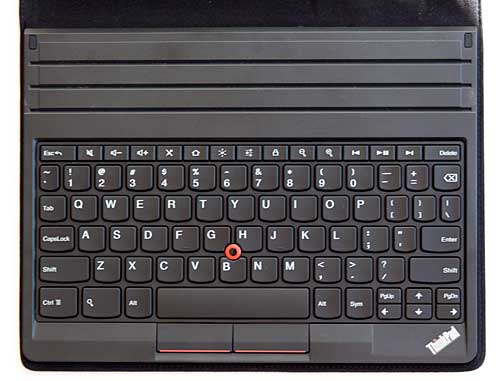
The optional keyboard folio.
The ThinkPad tablet with WiFi (not 3G) lists for $499 for the 16 gig model, $569 for the 32 gig and $669 for the 64 gig model. You'll likely find the tablet for $100 less on Lenovo's website thanks to their constant sales, and many retailers have dropped the 16 gig price down to $399. The pen is $30 (though it's sometimes bundled) and the Keyboard Folio is $100.
|



