|
||||||||
|
|
|||||||
|
Advertisement |
Best Ultrabooks and Convertibles, 2014: Ultrabooks Rated
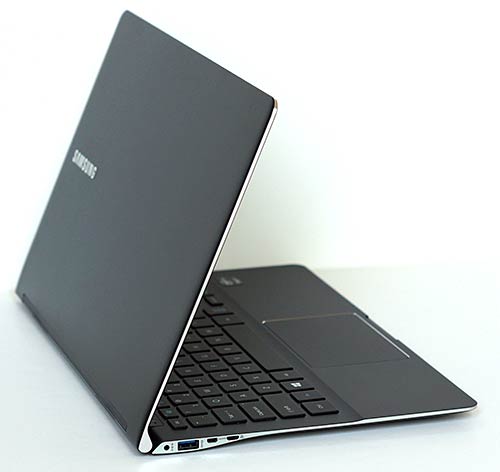
Ultrabooks are the slim and lightweight laptop stars that are generally 13.3" machines that weigh just 3 pounds. Because quality materials and fairly standardized CPUs are a part of the $,1000 price of entry, we can easily say you can't go wrong with most brands and models on the market now. They run on Intel U series ULV/ULT 15 watt CPUs with Intel HD 4400 graphics for the 4th generation Intel Haswell models. Older Ivy Bridge models have Intel HD 4000 graphics, but those are quickly being replaced as 2014 begins. Most have full HD displays of better quality than you'd see on a 15" moderately priced laptop, and some have even higher resolution displays lilke the Yoga 2 Pro, Samsung ATIV Book 9 Plus, Toshiba Kirabook and Asus Zenbook Infinity UX301. Convertible models like the Lenovo Yoga models and Dell XPS 12 do double duty as tablets and laptops thanks to novel hinge designs. New to Ultrabooks? Read our Ultrabook Guide that gives you the rundown on standard specs and features. Before we get into the ratings, keep this in mind: though the specs, size and weight are similar among Ultrabooks, they vary in materials (somewhat), ports (somewhat) and weight (somewhat). Really, we're talking 6 ounces here, an extra display or Ethernet port there. Aluminum vs. Magnesium or carbon fiber... you get the idea. You'll see up to a $200 price variance for different brand base models: not a lot. But each has a certain appeal and features or a price tag that might be most important to you. We'll cover those here. 1. Samsung ATIV Book 9 Plus Samsung and Asus are the leaders when it comes to Ultrabook design. This is a unique and stunning looking laptop that features a metal casing and excellent build quality. It's incredibly thin at 0.51" and it's one of the few with both Intel Haswell 4t generation CPUs and a phenomenal 3200 x 1800 resolution touch screen. It's a gorgeous looking laptop that performs well too.
Good for: Those who crave high style and a super thin and light design. Graphics designers who can't get enough resolution. Bad for: Those on tight budgets, those with weak eyes. Important Features: Impossibly slim yet rigid, best of breed looks and a superb QHD+ display. Samsung ATIV Book 9 Plus Review
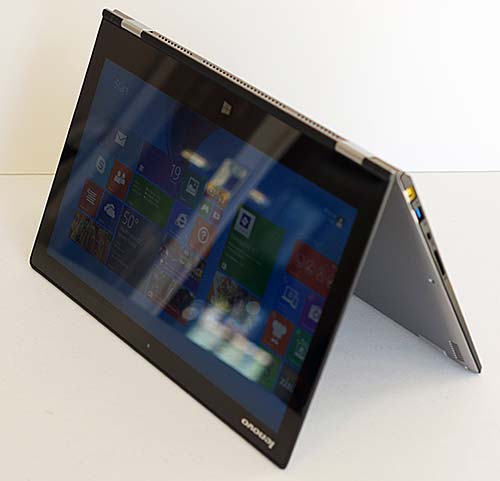
2. Lenovo Yoga 2 Pro Want an Ultrabook that can double as a tablet? We can't blame you. The Yoga 2 Pro has a unique 360 degree hinge that lets you use this Ultrabook as a laptop or a tablet. This is Lenovo's second generation IdeaPad Yoga in a 13.3" size, and it packs several excellent improvements like a super high resolution QHD+ 3200 x 1800 display, 4th generation Intel Haswell CPUs and a backlit keyboard. You can get it with 4 or 8 gigs of RAM and an SSD drive is standard.
Best of all, you get Lenovo's excellent island style keyboard that's great for extended typing, a responsive and predictable trackpad and solid build quality. Good for: Those who want a no compromise Ultrabook and a tablets. Folks who want a very high resolution display. Bad for: Those who need dual band WiFi or extremely long runtimes. Important Features: QHD+ display, unique and versatile design, backlit keyboard. Lenovo IdeaPad Yoga 2 Pro Review
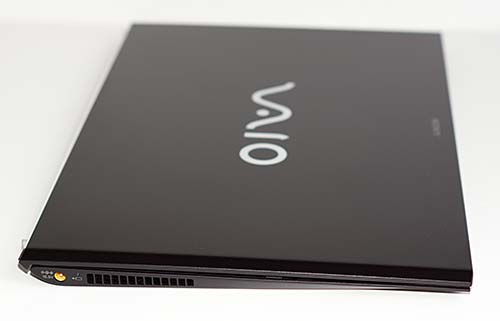
3. Sony Vaio Pro 13 The Sony Vaio Pro 13 is the first Intel fourth generation Haswell Windows 8 Ultrabook to hit the market, and we're impressed. Sony's known for pushing the envelope when it comes to making supremely thin, light and small portables (Sony Vaio P, Vaio X and Vaio Z), and they made Ultrabooks before the term existed. The Vaio Pro 13 is a currently the lightest 13.3" Ultrabook on the market and it weighs an incredible 2.34 pounds. For those who need to travel even smaller and lighter, there's the Vaio Pro 11 that's 1.94 pounds. The Vaio Pro 13 runs on a 1.6GHz Core i5-4200U Haswell CPU with Intel HD 4400 graphics and there's a Core i7 option. You can get it with up to 8 gigs of RAM and 128 - 512 gigs of SSD storage. The centerpiece is the superb full HD Triluminos display with 10 point multi-touch. If you're shopping for a super-light Ultrabook with a sexy carbon fiber body and the latest Intel CPUs, the Vaio Pro 13 is worth a look.
Good for: Those who want to travel as light and stylish as possible. Graphics pros who need a full HD display with wide color gamut. Bad for: Those who are very hard on their gear. Important Features: 1080p IPS touchscreen with wide color gamut, carbon fiber casing with aluminum palm rest, backlit keyboard, wide color gamut display, 4th generation Intel Haswell CPU, good backlit keyboard and Intel WiDi wireless display.
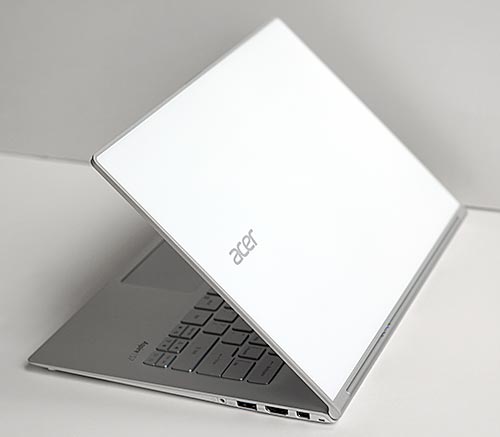
4. Acer Aspire S7 (Haswell) Acer's revised Aspire S7 13.3" Ultrabook addresses the shortcomings of the first gen model and upgrades to 4th gen Haswell CPUs. Though not cheap, the Aspire S7 has all the creature comforts like a backlit keyboard, full HD touch screen and fast RAID0 SSD storage. The white Gorilla Glass lid and aluminum frame give it a unique and classy look.
Good for: Serious style lovers, those who appreciate high design and quality construction. Bad for: Those on a tight budget, folks who type thousands of words per week. Important Features: 1080p IPS touchscreen, Gorilla Glass lid, aluminum body, fast CPU and SSD storage options.
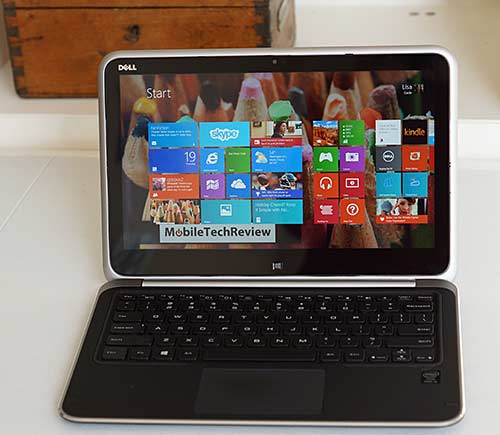
5. Dell XPS 12 A versatile Windows 8 convertible with a sharp and colorful 1920 x 1080 full HD touch screen. The XPS 12 has a 12.5" IPS display and it's available with 4th generation Intel Haswell Core i3, i5 and i7 CPUs. You can get it with 4 or 8 gigs of RAM and all models have an SSD drive. The Dell's easel hinge makes it easy to convert from a standard Ultrabook to a tablet, or use it in presentation mode. Better yet, the keyboard is concealed in tablet and presentation modes, unlike the Lenovo Yoga convertible Ultrabooks.
Good for: Those who want a no-compromise Ultrabook and a sometimes tablet. Bad for: Those who want a tablet first since the XPS 12 weighs 3.35 pounds. No digital pen option so not the right product for handwritten note takers and artists who wish to paint or draw. Important Features: Ingenious and functional design, full HD IPS touchscreen, excellent backlit keyboard, sturdy build.
6. Asus Zenbook Prime UX31A Touch The latest generation Zenbook move up to Windows 8 and a touch screen. It has a superb 1920 x 1080 IPS display, and other than the Radiant Black color, looks identical to the UX31A non-touch. It has a stunning and strong aluminum casing, excellent fit and finish and a very good backlit keyboard. You get little goodies in the box too, like a slip case, display and Ethernet adapters that other manufacturers charge extra for. For thsoe of you who hate touch, the non-touch Zenbook Prime UX31A is the one to consider instead. The touch model weighs a little bit more than the non-touch, but Asus managed to keep the weight under 3.5 pounds.
Good for: Style and lovers, those who want a higher resolution display. Bad for: Those who hate backlight bleed. Important Features: 1080p IPS touchscreen, stunning casing and design, good speed, bright display, good backlit keyboard and Intel WiDi wireless display. Asus Zenbook Prime UX31A Touch Review
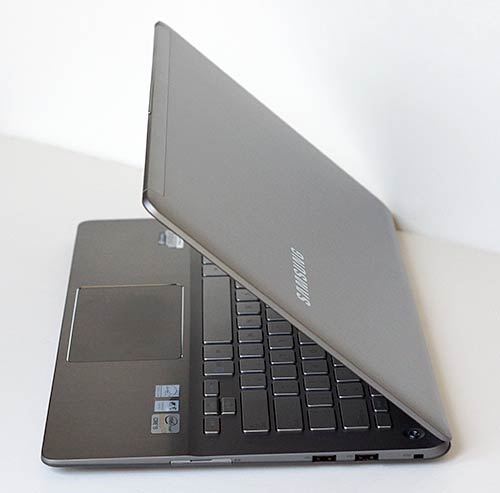
7. Samsung ATIV Book 7 Samsung's first 13.3" Series 7 Ultrabook is a winner. It features an all aluminum casing, very attractive design and excellent fit and finish. We love the full HD IPS touch screen with wide color gamut, backlit keyboard, dual band WiFi and unsually good port selection that includes gigabit Ethernet and three USB ports. The display is bright and sharp, the trackpad works well and the keyboard makes for fast typing though the key masking is a bit faint and hard to see in middling light. Samsung's display auto-brightness setting is for the birds though, so you'll want to disable it to really enjoy this bright panel. The upgradable RAM (up to 16 gigs) and upgradable mSATA SSD set the Series 7 Ultra apart from most Ultrabooks. The overseas model has AMD Radeon dedicated graphics, but our US version has Intel HD 4000 graphics.
Good for: Touch screen lovers, those who want to upgrade RAM and the SSD, folks who need lots of ports. Long battery life is great for road warriors. Bad for: Those who look at the keyboard frequently when typing (keyboard masking is hard to see in some lighting situations). Important Features: Full HD IPS touch screen, upgradable RAM and SSD drive, Intel WiDi wireless display, backlit keyboard. Samsung Series 7 Ultra / ATIV Book 7 Review
8. Lenovo ThinkPad X1 Carbon and X1 Carbon Touch It's hard to beat ThinkPad quality and durability. No flimsy plastics here and no cutting corners on internal components to bring the price down. Yes, that means this isn't a cheap Ultrabook, but you get a very good 14" 1600 x 900 display with 300 nits brightness, fast SSD drives, socketed wireless cards and the best keyboard in the business. The ThinkPad X1 is also available with a touchscreen and Windows 8.
Good for: Road warriors that don't want to baby their machine, those who need a larger and higher resolution display. Bad for: Those on a tight budget. Important Features: Very rugged build, higher resolution and better quality display than many Ultrabooks, business features like remote management via Intel vPro. Lenovo ThinkPad X1 Carbon Review
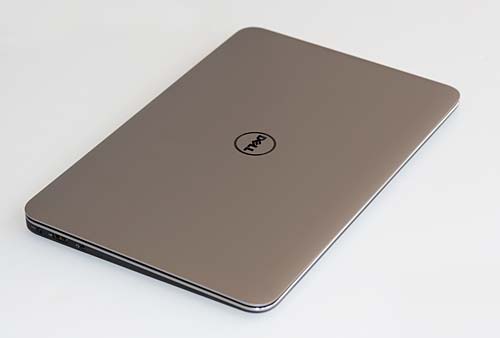
9. Dell XPS 13 (Full HD) This is currently my personal favorite among Ultrabooks. It's got a gorgeous and strong combo of an aluminum lid, magnesium alloy keyboard deck, Gorilla Glass display and a cool looking and feeling carbon fiber bottom. Dell is good at getting the last ounce of performance out of their machines, and they use top quality components in their XPS line. Thus the XPS 13 has a fast Samsung PM840 SATA 3 SSD drive, Intel dual band WiFi with Intel WiDi wireless display and a fan that never whines like cheap junk. We love the Mini DisplayPort that lets us drive really big monitors too.
The Dell with the base i5 benchmarks well and it feels fast. The full HD IPS display isn't an expensive upgrade and we highly recommend it, not just for the increased resolution but also because it has much wider viewing angles and better colors than the standard panel. It weighs 3 lbs. and has a slightly smaller footprint than other 13" Ultrabooks. The chiclet style keyboard has sculpted keys with good travel and tactile feedback; it's superb and it's backlit unlike the Zenbook. Dell includes upgraded technical support (we've used it, and we're pleased) and accidental damage protection for a year. Good for: Style and speed lovers, those who spend a lot of time typing. Bad for: Those who want a touch screen. Important Features: Superb casing and design, good speed, excellent IPS full HD display option, great backlit keyboard, fan sometimes loud, trackpad drivers aren't great, excellent premium support included.
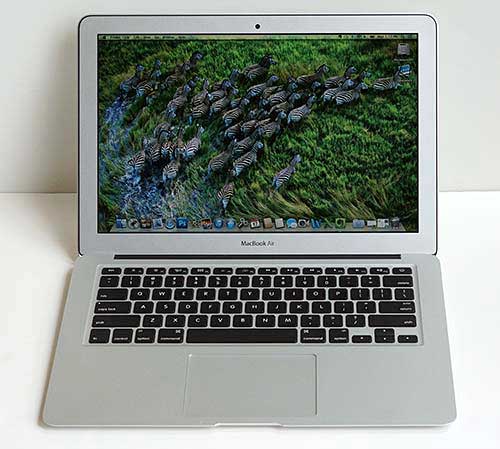
Honorable Mention: MacBook Air (mid-2013) The MacBook Air was Intel's inspiration for their Ultrabook initiative. They realized Windows PC makers could just as easily make something super-thin and light with a metal casing and solid performance for everyday work. Since Intel came up with the Ultrabook marketing campaign and definition as something that has Windows inside, the MacBook Air doesn't get the Ultrabook label.
It has the same Intel internals as Windows Ultrabooks, including Intel Core i5 and i7 ULV CPUs, Intel HD 5000 graphics and a fast PCIe SSD drive. It's available with 4 or 8 gigs of DDR3 RAM. It's no faster or different from Windows Ultrabooks. You get great fit and finish, Apple's excellent support and a very good backlit keyboard and excellent trackpad. It has a a 1440 x 900 display that's solid but not as impressive as the full HD IPS touch screens found on some recent Windows 8 Ultrabooks. But, and this is the big but: it is absolutely fabulous and fast when running Mac OS X. If you want to run Windows 8 (or Windows7), it actually falls behind when it comes to battery life and trackpad performance since Windows drivers aren't very optimized for power management or trackpad input. We get a phenomenal 10 to 12 hours of battery life when running Mac OS X, but much less in Windows.
Advertisement |