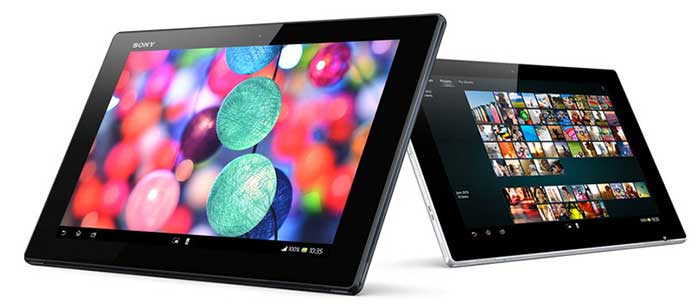
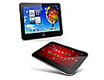
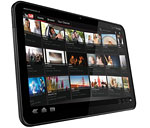
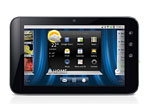
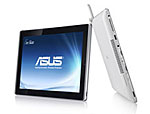
Android tablets entered the market in late 2010, and we're sure to see a wide selection in 2011. The Samsung Galaxy Tab is the first widely available, high quality Android tablet available in the US. In early 2011 the Dell Streak 7 on T-Mobile and the Motorola Xoom on Verizon launched,, both with dual core Tegra 2 CPUs and the Moto with Android OS 3.0 Honeycomb optimized for tablets.
You'll find a variety of budget tablets at Best Buy, Fry's and other retailers, but these tend to lack 3G cellular radios for data and have lower resolution resistive touch screens rather than the capacitive multi-touch display used on the Galaxy Tab, Streak, Xoom and Apple's iPad running iOS.
Windows Tablet Reviews
and Information
Introduced Nov. 7, 2002, Windows Tablet PCs feature
color screens that you can write, doodle, and draw on using a special EMR pen
included with the notebook (also called an active digitizer and digital pen). These older tablets were not always touch sensitive, which
means you had to use the pen rather than your finger
to write on or point at something on the screen. They work much the same
way Wacom digitizer (graphics) pads work, only you get to interact directly
with the screen rather than using an intermediary accessory tablet. You
can also use the stylus as a mouse, pointing at items on screen, clicking
buttons, highlighting text and so on. If you've never gotten along with
the trackpads and eraser sticks built into notebooks, you'll probably love
the stylus.
With the advent of the capacitive touch screen, first widely used in the iPhone, and Windows 7's significant support for both pen and touch input, we saw more tablets offering touch or both touch and an active digitizer with pen. In fact with the advent of Windows 8, most offer just touch.
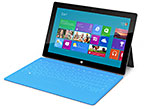
At the end of October 2012, Microsoft released Windows 8 with the new Modern UI (Metro) that's geared towards touch. It also has the standard desktop UI that's similar to Windows 7. Windows RT runs on ARM family CPUs like the NVidia Tegra 3 that's also used in Android tablets. Windows RT tablets can't run x86 .exe programs designed for Windows 7. Windows 8 run on Intel and AMD machines and it supports Windows 7 .exe apps, unlike Windows RT that only supports apps from the Windows Store. Most convertibiles and tablets run on Intel rather than AMD CPUs.
Convertible and Tablet Designs
Windows tablets come in two variations: convertible
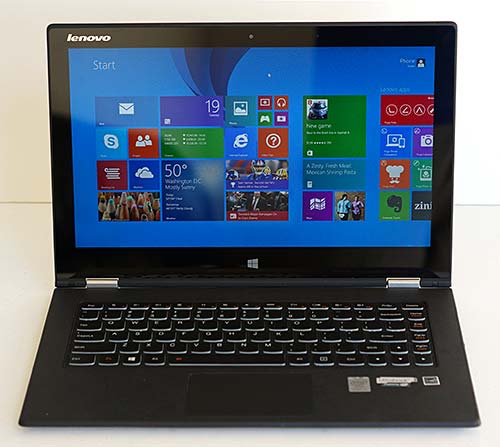
and tablet. The tablet design looks like a slate and has no keyboard, or it may come with a detachable keyboard. The convertible tablet is more common and it ostensibly looks like a standard 11 or 13 inch laptop, but you can rotate the display to use it in tablet mode where it looks like a large slate. Thus you get the best of both worlds: a full keyboard and trackpad and a tablet. The drawback is obvious: convertibles weigh more since they have the traditional notebook 2-section design with a display panel and a bottom panel that contains the keyboard and guts of the computer. Convertibles weigh from 3 to 5 lbs. and cost $400 to over $2,000. Mainstream models with Intel Core CPUs generally cost $850 to $1,500 and these are made by HP, Asus, Sony and other major manufacturers. More affordable models with Intel Bay Trail Atom CPUs are more common in tablet form, but there are a few convertibles and detachables like the Dell Venue 11 Pro and Asus Transformer Book T100.
General Tablet Features: Handwriting, Inking and Digital Art
All Windows tablets allow you to handwrite in any application using the tablet input panel even if
the application isn't handwriting-aware. If you're a graphic artist, you'll
love drawing directly on the screen using Alias Sketchbook, Corel Painter (a fantastic natural
media paint program) and Photoshop. The pen technology used in many tablets
was developed by Wacom, the big name in digitizer tablets, and N-Trig entered the market in 2008 with their dual digitizers that feature both a capacitive touch screen and active digitizer. As of this writing, Adobe Photoshop supports pressure sensitivity with Wacom digitizers but N-Trig digitizers get support only on Sony Vaio products. In 2014, Adobe will make the move to supporting pen pressure in their CS suite.
Wacom digitizers typically have 1,024 levels of pressure sensitivity (vs. 2,048 on higher end Wacom tablets that sit on your desk and plug in via USB) and the pen has a single button and an eraser. Wacom Tablet PCs have active digitizers use EMR pens that are battery-less (the display provides the power rather than the pen).
N-Trig is the other big name brand in digitizers, and their pens currently offer 256 levels of pressure sensitiy. That's lower than Wacom, but N-Trig fights back with better pen location accuracy, particularlyt near the edges of the display. N-Trig pens are using in several Sony products including the Vaio Tap 11, Vaio Duo 13 and the Vaio Flip series. This pen uses a single AAAA battery that lasts a year.
Since superb handwriting recognition and digital ink technology are built into the Windows operating system, don't expect much
variation between competing brands and models. Windows can handle even terrible handwriting and you can write quite quickly these days. In the old days of tablets, you had to write slowly to give the recognizer engine time to turn your scrawl into text, but that's no longer the case.
There's also an on-screen keyboard and Windows7 and Windows 8 detect whether you're currently using a pen or finger and puts up a different on-screen keyboard to suit each (this is called palm rejection). The finger-friendly keyboard is large and easy to use.
Applications that are well-suited to handwriting include MS Office (particularly OneNote and Word), Windows Journal (included with Windows) and art applications like Corel Painter, ArtRage and Photoshop.
Models with capacitive touch screens generally support multi-touch and 5 to 10 touch points, so you can pinch zoom and rotate documents using your fingers.